Choose a logo template

Unleash your creativity with our logo maker and
design a business logo today!
You need to enter your company name
Company name:
Search:

More informations about our logos

Your business logo significantly impacts how customers appreciate and perceive your brand when they discover it on social media, website, print, billboard, business card, and other touchpoints. So, naturally, you’ll want a business logo that will mean business. Logogenie recognizes that no two businesses are created equal. Each has unique values, culture, mission, and purpose. That’s why we’ve curated top-notch business logo templates ready for adjustments to develop your unique logo. Alternatively, you can design your business logo with our simple and intuitive AI logo maker (which requires no graphic design skills). Whichever route you take, we've got you!

How to design a business or monogram logo

1. Research and identify your brand identity
This is a crucial step to designing an effective business logo, which you want to be memorable, timeless, and brand-aligned. So, before diving into design, identify your ideal customers. After all, the most effective brands connect to their most specific audience, not a one-size-fits-all or generic approach.

Then, check what your competition is doing and discover any patterns or trends in symbols, colors, and fonts, helping you better understand how to stand out in your particular industry visually. Lastly, identify your most dominant brand traits or qualities (friendly, sustainable, easy-to-use, convenient, compassionate). 
business
business
2. Get down to business with the right theme
The right fonts, colors, symbols, layouts, and styles are secrets to a solid business plan for developing your logo. Colors, for instance, can evoke certain emotions, feelings, or themes like sophistication, elegance, confidence, and trustworthiness. Black conveys power, while blue represents success and professionalism. Opt for at most three colors in your design.

For the fonts, serif fonts convey luxury and timelessness, while sans serif is modern and straightforward. Modern fonts hold some starkness and elegance, which makes them ideal for tech and app development companies.  And for the layout, as we always say, opt for clean and minimalist layouts to ensure your logo remains recognizable anywhere displayed - billboards, company merchandise, labels, packaging, business cards, and anywhere you more often display it. 
3. Finalize before launch
You probably have several business logo sketches. Now, what?  It’s time to roll up your sleeves with the team and critique your logo. Have some potential customers and your stakeholders give feedback on your design.

Are there elements to improve (fonts, color, symbol)? Do they find your design aligned with your branding effort? Does it stand out from the competition? Nevertheless, seek feedback, refine your design, and then digitize your creation with Logogenie. In no time, you’ll have your polished, professional business logo!
business

3 easy steps to design a business logo

Discover how easy it is to design a logo for your business company!
Use our logo generator to design hundreds of logos in minutes
1. Enter your company details
Enter your business details in our next-generation AI logo maker and generate hundreds of business logo templates in seconds.
2. Pick a logo template
Browse through our stylish business logo templates. You can pick from a letter logo, monogram logo, icon logo or shape logo.
3. Customize your logo
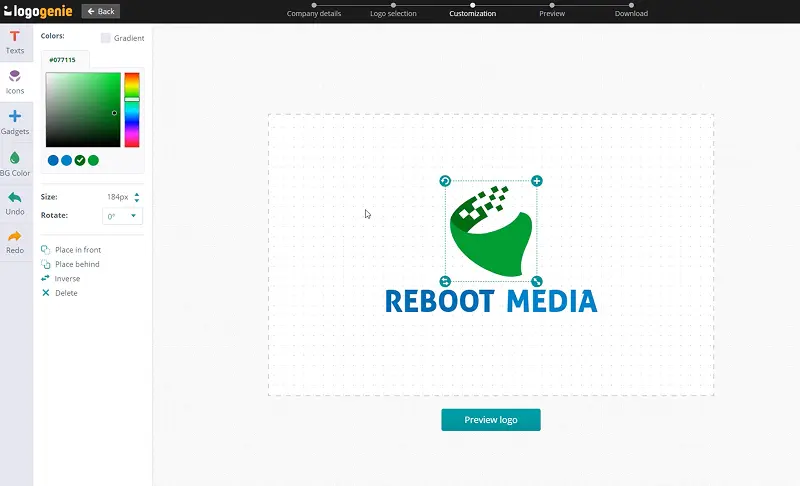
Jump on our creative online tools and customize your business logo by tweaking and adjusting it to your likings and create something unique.
Search for keywords: business, job, company, work, commercial, jobs, corporate, industries, organization

Other interesting industries

rocket, aerospace, astro, star wars, spatial, spaceship, astronaut, astral, rockets
data, pixel, data science, big data, data entry, dashboard, data center, datacenter, pixels
blog, website, web design, site, blogger, blogging, site web, wordpress, web designer
advertising, promotion, advertise, advertising agency, advert, advertisment, promotions
connect, connection, connecting, connected, connectivity, connections, analyze
design, marketing, market, designer, creative, creation, brand, graphic, marketing digital
consulting, consultant, consultancy, professional, consult, entrepreneur, expert, enterprise, business consulting
finance, sales, financial, forex, success, finances, holding, wealth, financial services
law, legal, justice, lawyer, law firm, monument, greek, scale, advocate
money, bank, blockchain, cash, bitcoin, banking, silver, pieces, money transfer
star, stars, review, rating, feedback, reward, reviews, rising, ranking
people, men, individual, customer, client, manager, welfare, multicolor, counselling
pen, stationery, signature, ink, pens, ink pen, pen and paper
trading, trade, growth, investment, stock, stock market, invest, stocks, capital
arrow, arrows, arow, arrowhead, up arrow
gold, golden, goldsmith
paper, document, file, documents, papeleria, sheet, article, files, billing
management, service provider, project management, facility management, manage, menager, managment, workflow, tech support
search, research, audit, magnifying glass, find, analysis, magnifier, magnifying, magnify
tax, calculator, taxes, taxation, tax consultant, income tax, tax preparation, tax consulting, tax consultancy
card, credit, master, credit card, credit repair, credit cards
administration, secretariat, survey, secretary, report, administrative, reporting, registered, reports
coin, coins
recruitment, human resource, question, career, manpower, staffing, recruiting, placement, question mark
target, goal, mission, precision, targets
dollar, currency, crypto, rupee, dollars, cryptocurrency, rupees, dollar sign, saving
call, call center, assistance, headset, assistant, conversation, social service, outsourcing, customer service
trust, handshake, hand shake, holding hands, public relations, shake hand, shaking hands, salutation, fraternite
wallet, payment, budget, pay, payroll, payments, paying guest, online payment, digital payment
group, meeting, conference, calendar, agenda, reunion, teamwork, sharing, positive
team, motivation, alliance, leader, collaboration, partner, leadership, motivational, partnership
accounting, office, account, accounts, accountant, chartered accountant, bookkeeping, reception, fund
union
exchange, transfer, operations
mail, message, email, bubble, bubbles, telegram, communicate, chatting, messages
graph, chart, seo, analytics, statistics, charts, improvement, stats, graphs

Start your logo design journey
with us today

Frequently asked questions

Can I buy extra logo options?
You can purchase extra logo options upon buying your logo or any time after. Either from the check-out page or from your user account.
What's in the logo package?
You will receive multiple format HD files that you can use on both print and digital mediums. File formats include: JPG, PNG, PDF, EPS, SVG.
How do I unzip my logo files?
You can unzip your logo files either by right clicking on the zip file and selecting decompress/unzip, alternatively you can unzip your logo online.
How do I use my vector files?
In order to use your vector files properly, you must install the fonts provided in the font folder. read more on vector logos here.
Will I get a transparent logo?
You will receive transparent logo formats with your logo package that you can overlay on colored backgrounds. Formats which support transparency are PNG, EPS & SVG
Can I get copyrights on my logo?
You can make sure no one else uses your logo icon by purchasing the exclusive rights. This option is available on the check out page or on your user account.
How can I modify my logo?
You can make as many modifications to your logo as you like from your user account. This will duplicated your logo and create a new version.
Where can I find my color codes?
You can find your color codes from your user account next to your logo. Use these color codes on other branded products to ensure your colors stay the same.
Can I change the colors of my logo?
You can change the colors of your logo by using our logo maker. Click on a graphic element and use the color picker in the left column to add a different color.

Customer testimonials & logo generator designs

x